AZKAR & PRAYER TIMES · CHROME EXTENSION
Daily Azkar and prayer times, right in Chrome.
Keep morning and evening Azkar, your prayer schedule and the next-prayer countdown close while you work or browse. Azkar & Prayer Times brings these daily routines into one Arabic-first Chrome extension.
By Fetian · Arabic Azkar · manual city or optional device location
What is Azkar & Prayer Times?
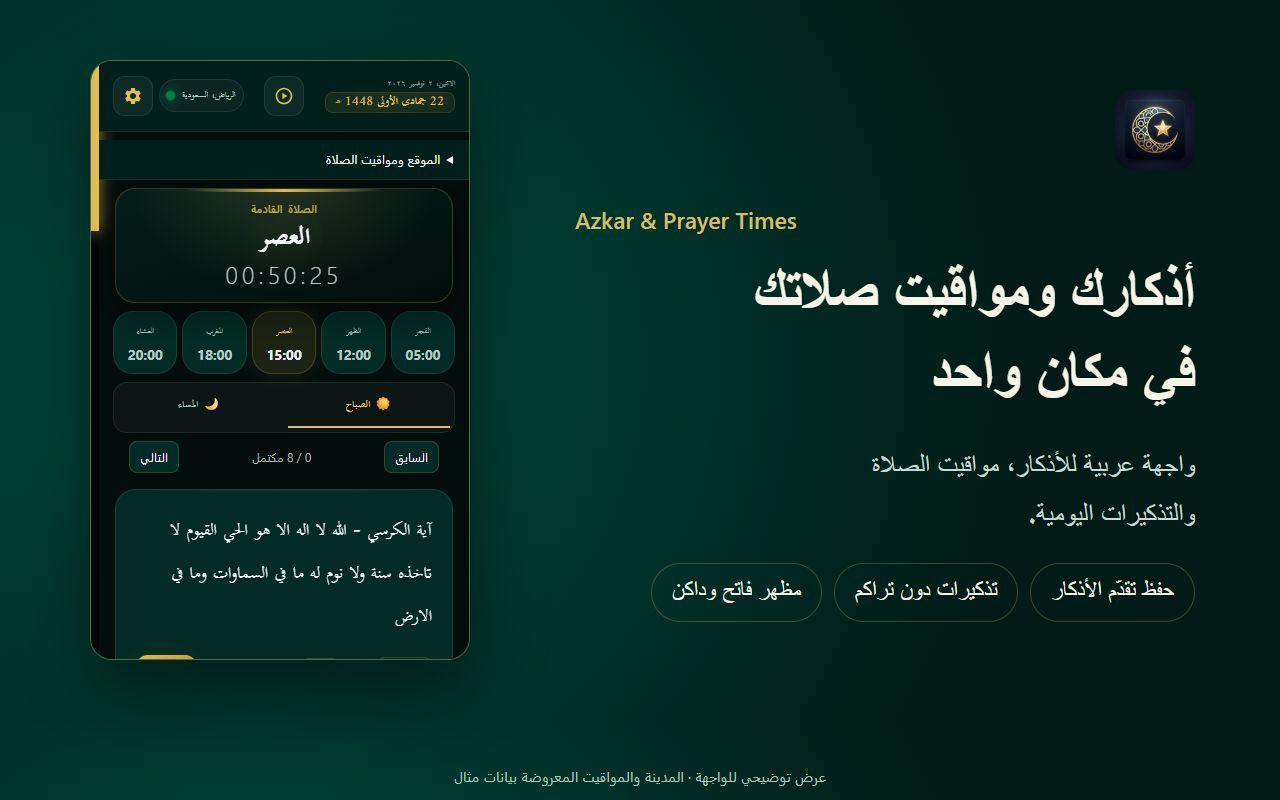
Azkar & Prayer Times is a browser extension by Fetian for daily Islamic remembrance and prayer-time reminders. Open it from the Chrome toolbar to read Arabic Azkar, follow your counters, check your selected city’s prayer times, or listen to the included Quran radio stations.
A calmer daily routine in your browser
Morning & evening Azkar
Read Arabic morning and evening remembrance, use interactive counters, keep favorites and continue from your saved progress.
Prayer times & countdown
See Fajr, Dhuhr, Asr, Maghrib and Isha for your selected location, with a countdown to the next prayer.
Reminders you control
Configure prayer and morning/evening reminders to fit your routine. Chrome and your operating system must allow notifications.
Your city, your choice
Enter a city and country manually or allow device location. Compare the resulting schedule with the locally accepted timetable.
Quran radio
Play the included audio stations with volume controls and a sleep timer. Live audio requires an internet connection.
Arabic-first, comfortable to read
Use the light or dark appearance and adjust the reading size. This English website explains the product; the current public release uses Arabic controls and Arabic Azkar.
How to get started
- 1
Install and pin
Open the official Chrome Web Store link above, review the requested permissions, and add the extension. Pin it using Chrome’s Extensions menu.
- 2
Choose your location
Open the extension settings and enter your city and country, or grant location access. Confirm your prayer schedule against a local timetable.
- 3
Choose your reminders
Set morning/evening reminder times and prayer notifications. Check Chrome/OS notification permissions and quiet or focus settings if alerts do not appear.
- 4
Build a daily habit
Open the morning or evening section, use the counters, and save the Azkar you want to return to. Keep Chrome running for scheduled reminders.
Clear choices about location and data
Settings, counters and favorites are stored in the extension’s local browser storage. Device location is optional. Prayer-time and city-lookup requests send the chosen city or coordinates to external providers; radio requests also connect to external hosts. Local storage does not mean all network requests stay on your device.
Read the privacy policyQuestions before you install
Is this a Chrome extension or a website with prayer times?
It is a Chrome extension. This page explains the product and links to its official store listing; it does not calculate a live prayer schedule in your browser tab.
Can I choose my city without using GPS?
Yes. Enter a city and country manually in the extension settings instead of allowing device location. The selected location is used to request prayer times.
Why can prayer times differ from my mosque’s timetable?
Prayer times depend on the selected location, calculation settings, date and time zone. Check the location and available settings, then follow your locally accepted timetable. This tool does not certify one timetable for every region.
Do reminders appear after I close Chrome?
Scheduled reminders depend on Chrome and the operating system running and permitting notifications. The extension skips stale reminders after a restart instead of deliberately replaying a backlog.
Does everything work offline?
Bundled Azkar and saved settings are local. Fresh prayer times and live radio need an internet connection. A cached timetable must not be treated as current indefinitely.
Is the interface available in English?
The currently published store release is Arabic-first, with Arabic controls and devotional text. This website has Arabic and English pages. Check the store listing for language support in the version you install.
Need help with Azkar or prayer reminders?
Tell us your Chrome version, extension version and the setting that is not working. Do not include precise coordinates or other private information in public feedback.